 Planner
Getting started
Introduction
Planner is a free, open-source web app that runs on your machine and shows the plans your coding agents write, side by side in split panes, live as they are written.
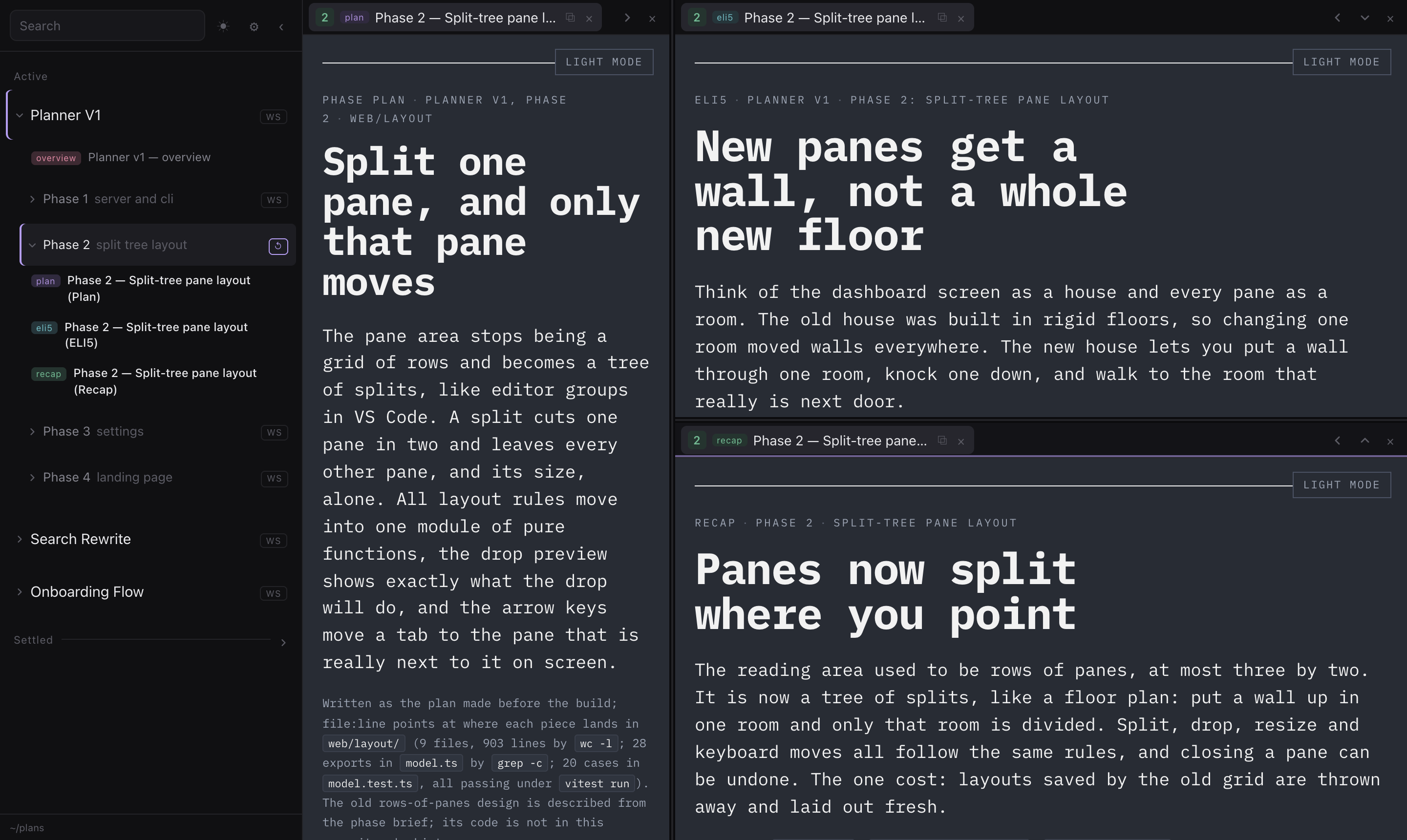
Coding agents increasingly write their plans, explainers and recaps as files: an HTML page here, a Markdown file there, one folder per task, one sub-folder per phase. Planner reads those folders and turns them into something you can actually review: every plan of a phase opens at once in its own pane, new plans announce themselves, and edited plans reload in place.
What it does
- Split panes like an editor. Split any pane right or down, drag tabs between panes and onto any edge, resize freely. See Reading plans.
- Workspaces. Each phase of a task is a workspace. Opening one lays out all its plans at once, and your arrangement is remembered per phase.
- Live. New plans raise a notification, edited plans reload in place, and scroll positions are kept.
- Linkable. The address bar always names the plan on screen, so a link can go in a chat or another plan, and
planner open <link>shows it in the tab you already have open. See Links. - Search inside plans. The search box looks inside every doc, not only at names.
- Your folders, your rules. Read one or many docs folders, each organised its own way. Folder names, phase naming, file types, badges, icons and shortcuts are settings, not code. See Docs folders.
- Built for agents. Agents can set Planner up, show you what they wrote, and read these docs as Markdown. See Working with agents.
Why it exists
I built Planner at work, for myself. Once coding agents were writing most of the code, writing code stopped being the slow part of my day. Reviewing their plans was. Every task produced a plan, then an explainer, then a recap, spread across folders, and I was skimming them in an editor tab, or not reading them at all. When an agent did link me a plan, every link opened another browser tab, one per plan, until I had dozens open and could not tell which one was current. That is how you stop knowing what your own codebase is turning into.
I wanted reviewing to be fast enough that I would actually do it, every time. So the agents write each plan as a
readable page, Planner shows it the moment it lands, and I read a whole phase side by side instead of opening files one
at a time. Agents show me what they wrote with planner open, which puts the plan in the tab I already have open
instead of opening a new one.
Next steps
- Install Planner and point it at your docs.
- Take the quick tour on the demo folder.
- Let your agent set it up for you.